The whole scheduling cycle

ClickNPlan features

From creating programs to publishing timetables, ClickNPlan covers the whole scheduling cycle.

Interactive timetable and conflict detection

The heart of ClickNPlan: an interactive calendar per program where every slot is created, moved and duplicated with the mouse. You cannot create an overlap without seeing it.

  • Create a course by dragging directly on the calendar
  • Repeat it weekly with a single checkbox
  • Teacher, room and group conflicts flagged immediately
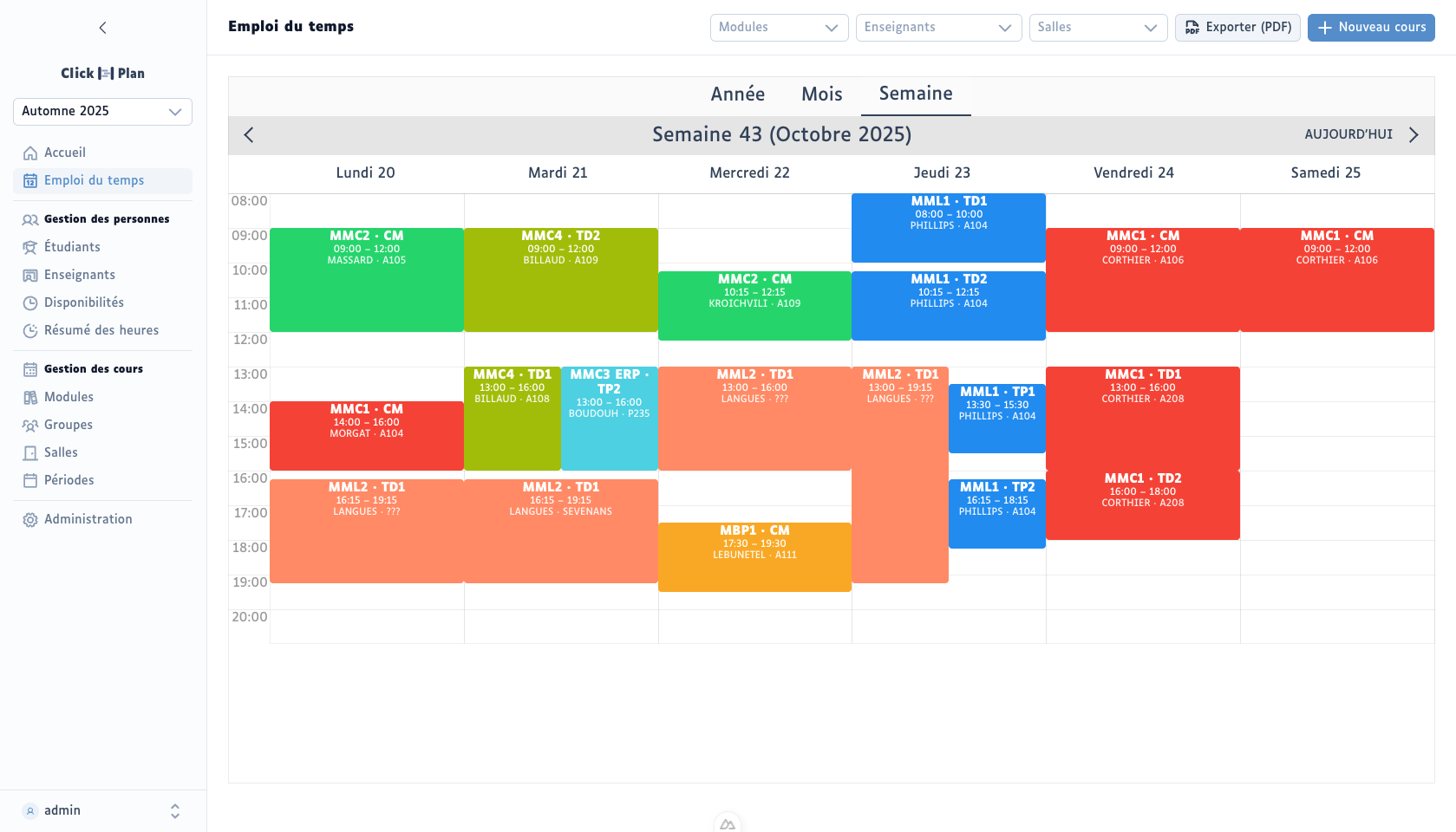
Week of 20–25 October 2025: nineteen courses placed, each with its module, group, lecturer and room

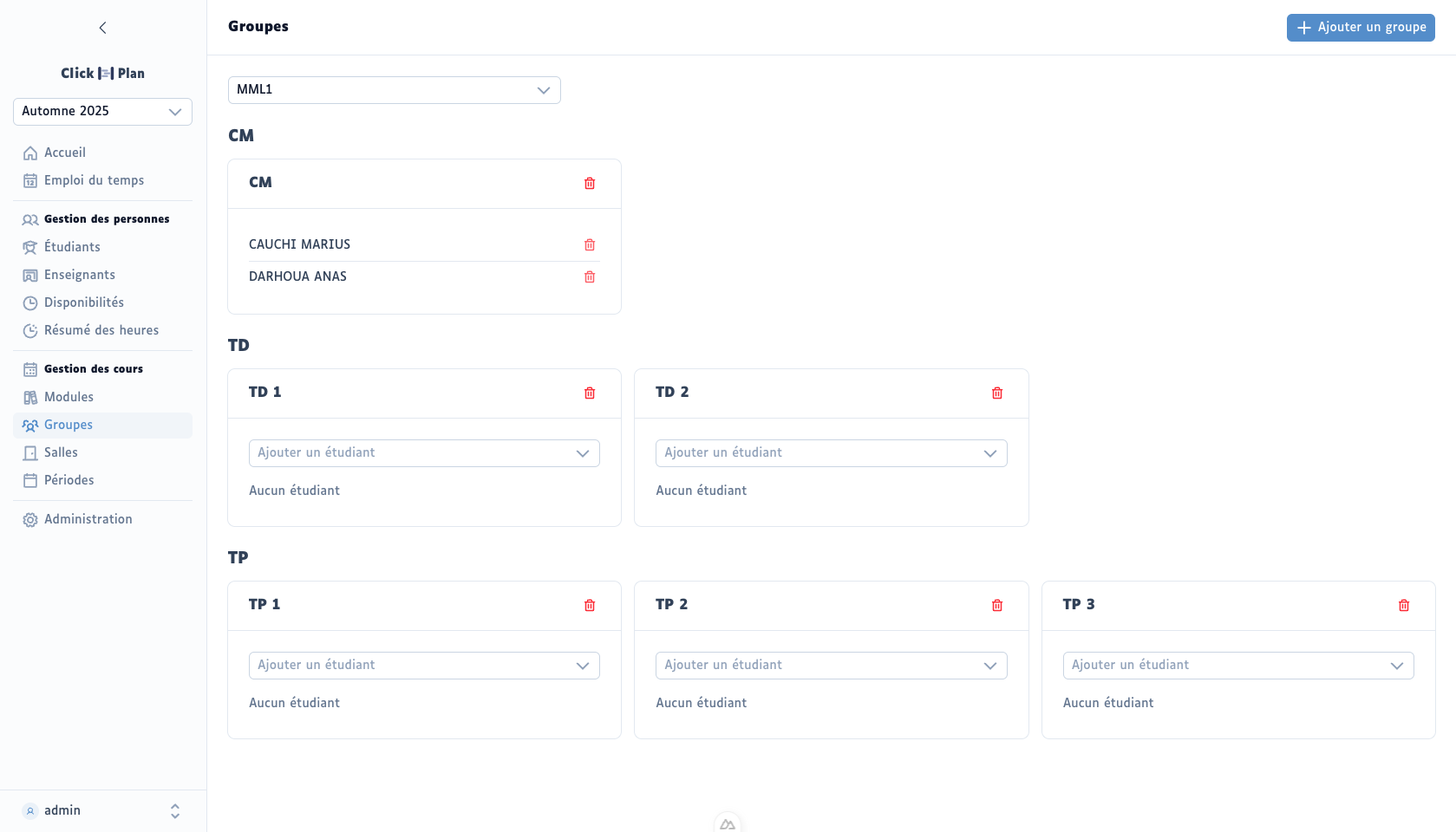
Lecture / tutorial / lab groups

Lectures, tutorials, labs: ClickNPlan knows higher-education assignment rules and enforces them for you.

  • Each student is automatically in their module's lecture group
  • At most one tutorial and one lab per student — never two groups of the same type
  • Per-group view to check headcounts at a glance
The groups of an English module: one CM, two TDs, three TPs, and the students assigned to each

Teaching hours summary

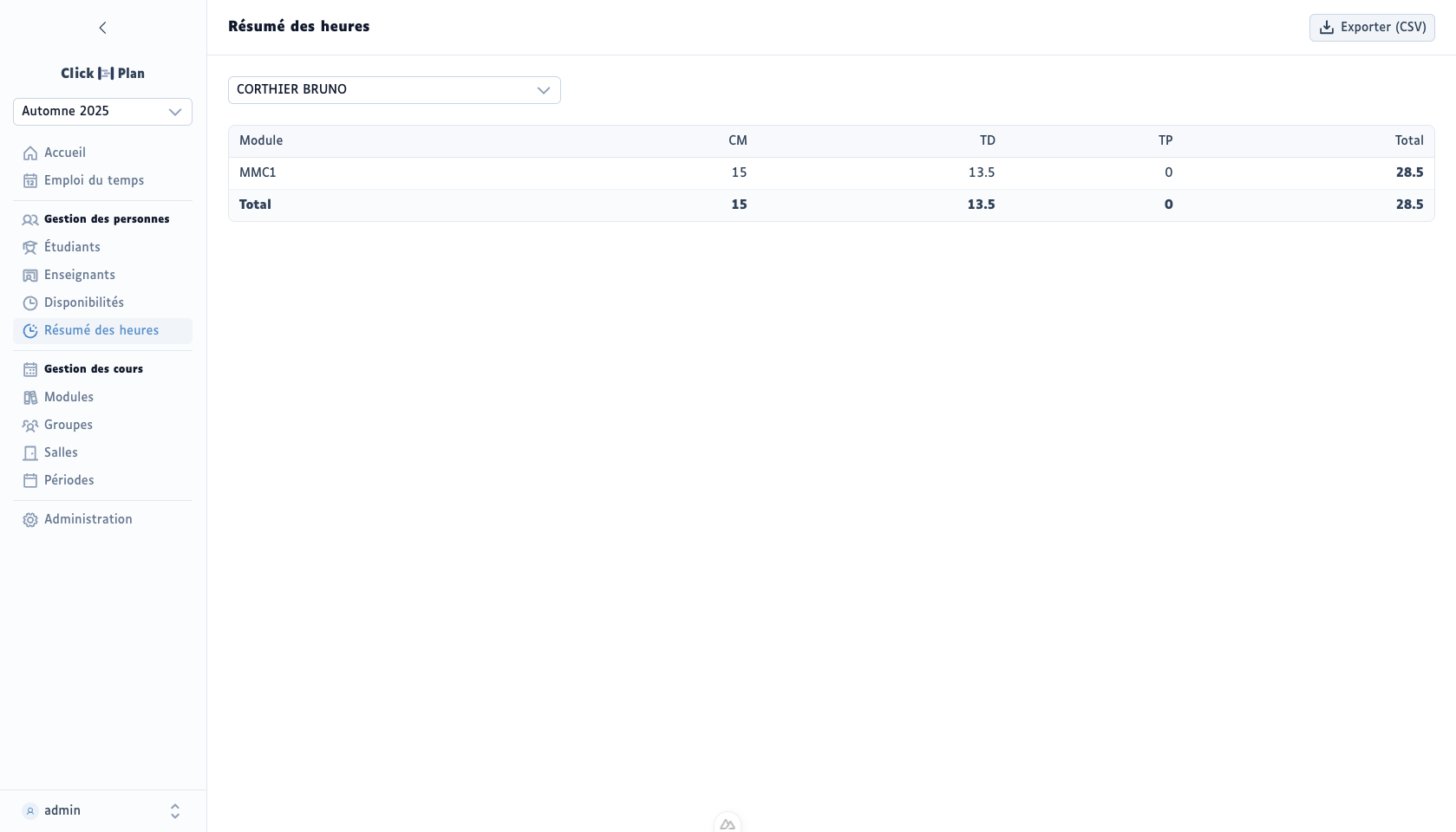
For each teacher, ClickNPlan computes the hours scheduled over the period, by type of teaching. Ideal for tracking teaching loads and preparing adjunct pay.

Teaching hours summary for one lecturer: 15 h of CM, 13.5 h of TD, 28.5 h in total for the period

Teacher availabilities

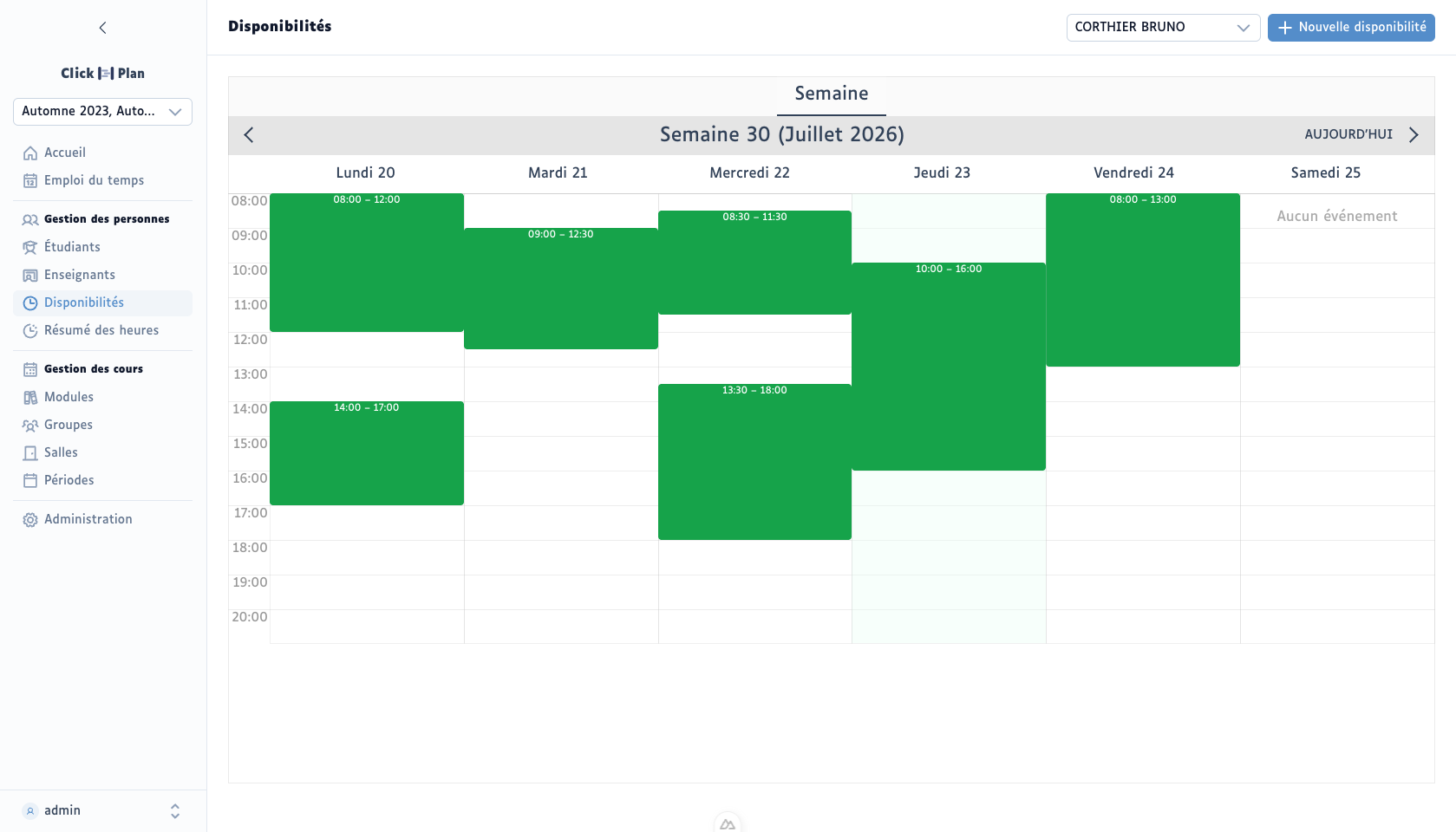
Each teacher has their own availabilities. Enter them once: the calendar shows who is available on which slot, and flags any scheduling outside of them.

A lecturer's weekly availability: green slots Monday to Friday with their times (08:00–12:00, 14:00–17:00…), onto which courses can be placed

PDF exports

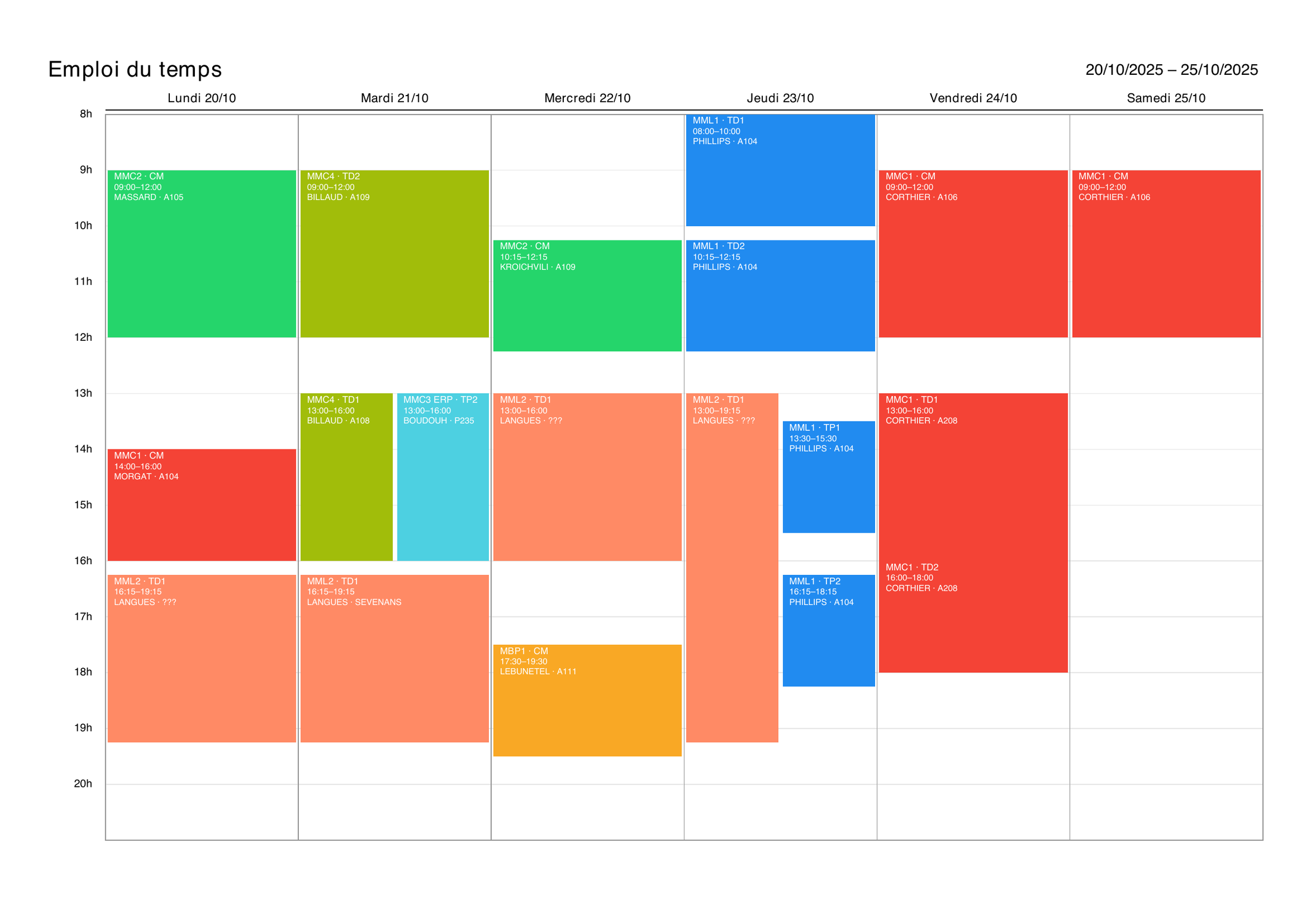
Individual teacher convocations, global timetable over the period of your choice: clean PDF documents, generated server-side, ready to send.

PDF export of a week's timetable, ready to print: each course as a coloured block with module, time, lecturer and room

Student sharing

Each student gets a personal link to their always-up-to-date timetable, viewable without an account. No more screenshots being passed around.

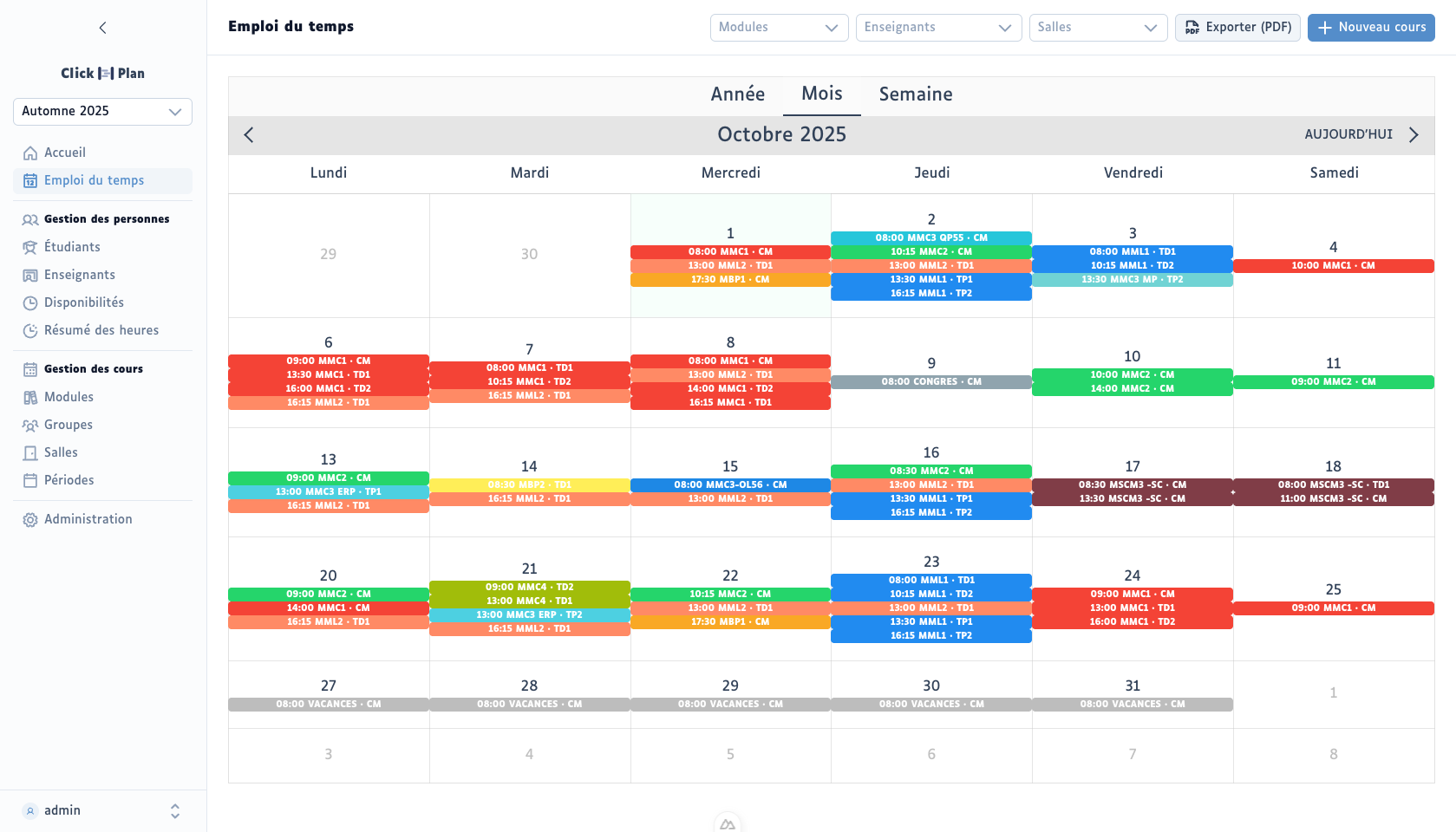
Month view for October 2025: 66 courses placed, each block showing its module, its CM, TD or TP type and its time

Ready to simplify your timetables?

Try ClickNPlan on our demo instance or talk to us: setup takes a few days.